Contact

Case study - Mobile App

ELOGI - Mobile E-commerce App

A clean and friendly shopping experience for mobile users.

Project type

Mobile E-commerce App

Role

UI/UX Designer

Tool

Figma

Platform

Mobile App

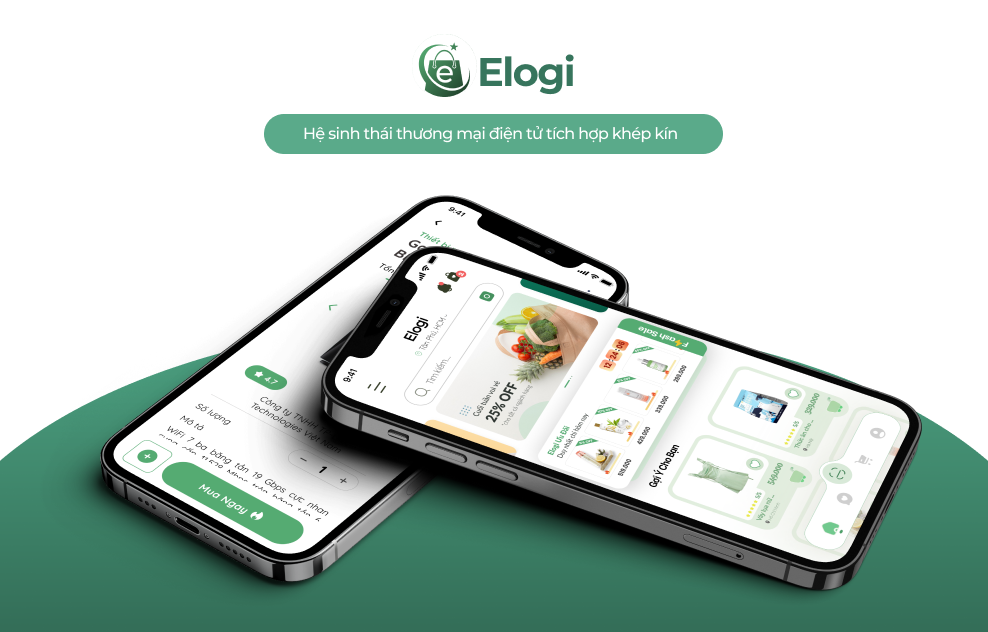
ELOGI mobile app mockup hero

Project overview

A complete shopping flow for mobile users.

ELOGI is a mobile e-commerce app designed to create a clean and friendly shopping experience. The app includes product search, filtering, product details, chat with sellers, notifications, settings and delivery tracking.

It helps users search for products, view clear product information, chat with sellers, receive updates and track delivery progress after purchase.

Scope

Clean commerce experience

  • Product discovery and filtering.
  • Product detail pages with clear purchase actions.
  • Chat, notifications, settings and delivery tracking.
  • Consistent mobile UI system using mint green as the primary color.

Problem

Online shopping can feel crowded and hard to follow.

  • Online shoppers often struggle to find the right product, understand product details, communicate with sellers and follow their orders after purchase.
  • Many e-commerce apps place too much information on one screen, making the experience feel crowded and difficult to focus on.

Goal

Make shopping simpler, faster and more action-focused.

  • Design a shopping interface that feels simple, modern and easy to use.
  • Help users search and filter products more quickly.
  • Present product information with clear hierarchy.
  • Make primary CTAs such as "Buy now" easy to notice.
  • Support seller chat and delivery tracking within the shopping flow.

Design process

From research to interactive prototype.

01

Research

Understand user needs, common purchase behaviors and friction points in mobile shopping.

02

User Flow

Map product discovery, product detail, checkout intent, chat and delivery tracking paths.

03

Wireframe

Define layout hierarchy for home, search, product detail and support screens.

04

UI Design

Apply the mint color system, rounded cards, simple icons and strong CTA hierarchy.

05

Prototype

Connect screens into a complete mobile flow to test the shopping experience.

Main features

Core screens for a complete e-commerce app.

Home

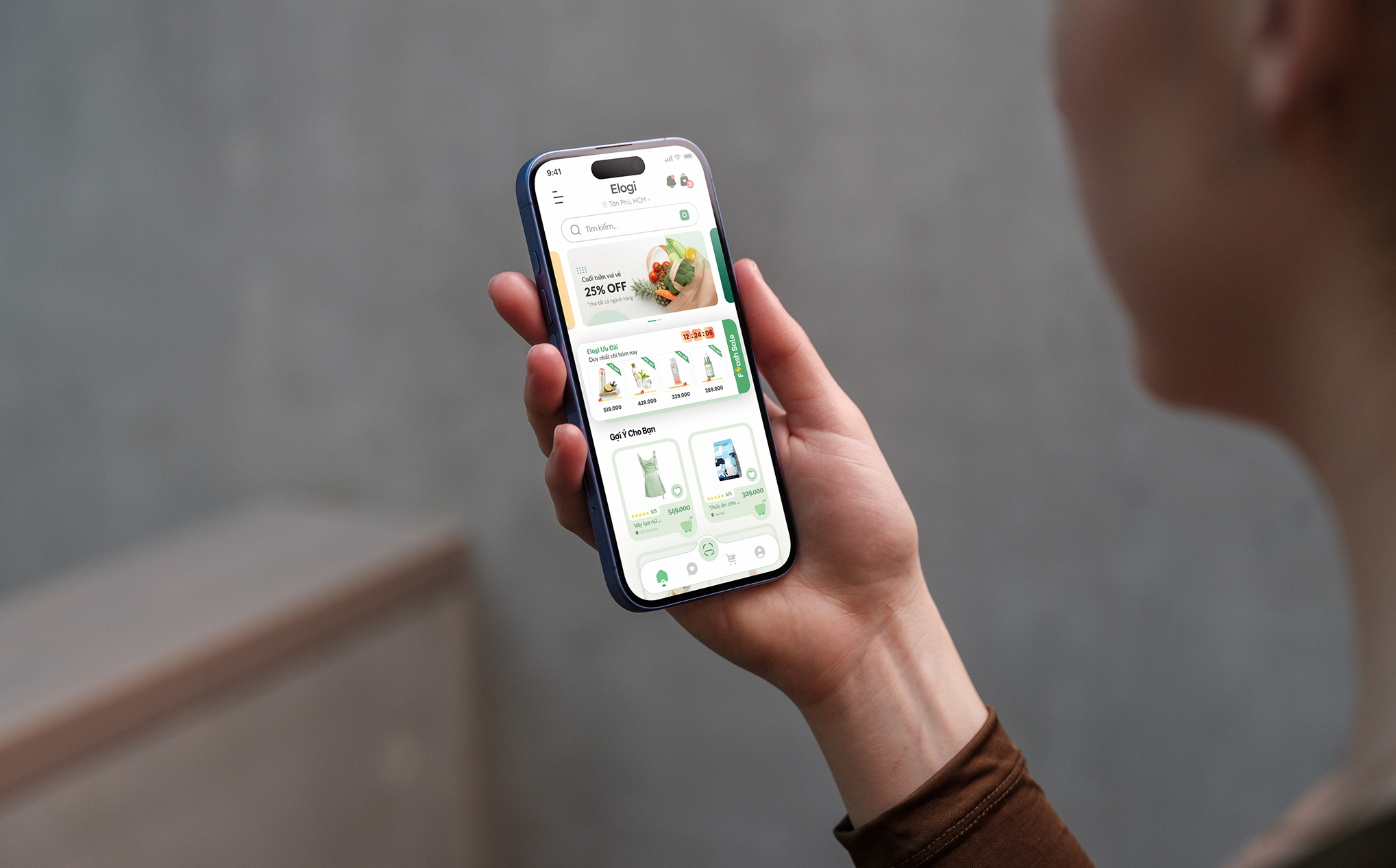
Displays promotional banners, product categories and recommended products.

Search & Filter

Helps users find and narrow down products based on their needs.

Product Detail

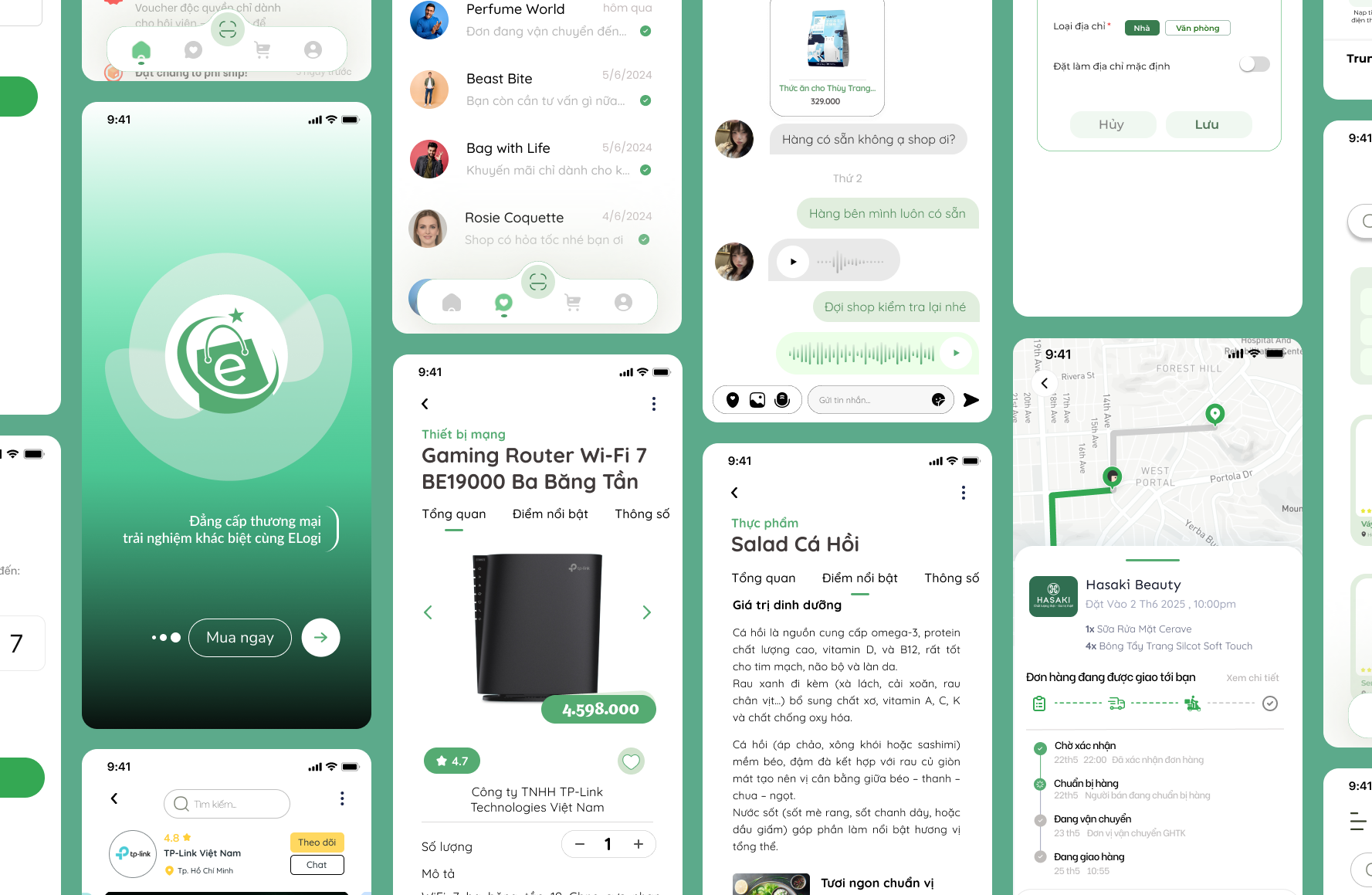
Shows images, product name, price, description, reviews and a clear buy button.

Chat

Allows users to communicate directly with the seller before purchasing.

Notification

Keeps users updated on orders, offers, messages and system notifications.

Delivery Tracking

Shows order status and delivery progress in a simple tracking view.

Settings

Lets users manage their account, notifications and app preferences.

Visual design

Mint, spacious and easy to scan.

  • Mint green is used as the primary brand color.
  • The interface uses generous whitespace, rounded cards and simple icons.
  • Primary CTA buttons use green to stand out from the rest of the layout.
  • Product cards include product images, names, prices and cart actions.
  • Bottom navigation helps users move quickly between core app features.
Buy now

Primary CTA

Strong green actions guide users toward purchase without adding visual noise.

Mockup showcase

App mockups across the shopping journey.

ELOGI full mobile app screen collection
ELOGI product discovery mockup
ELOGI delivery tracking mockup
ELOGI promotional banner mockup
ELOGI mobile shopping banner mockup

Final screens

Key app screens in one consistent system.

ELOGI final screen overview
ELOGI final home screen
ELOGI final search and filter screen
ELOGI final tracking screen

Reflection

Building a full mobile shopping flow.

Through this project, I learned how to build a complete mobile shopping flow, from product search and product details to seller chat and delivery tracking.

The project helped me improve how I organize information, create a consistent interface system and highlight the user's primary actions.