Contact

Case study - Mobile Entertainment App

Prank Sound

A playful mobile app designed for funny sound effects and quick prank interactions.

Mobile App Entertainment UI/UX Design Figma
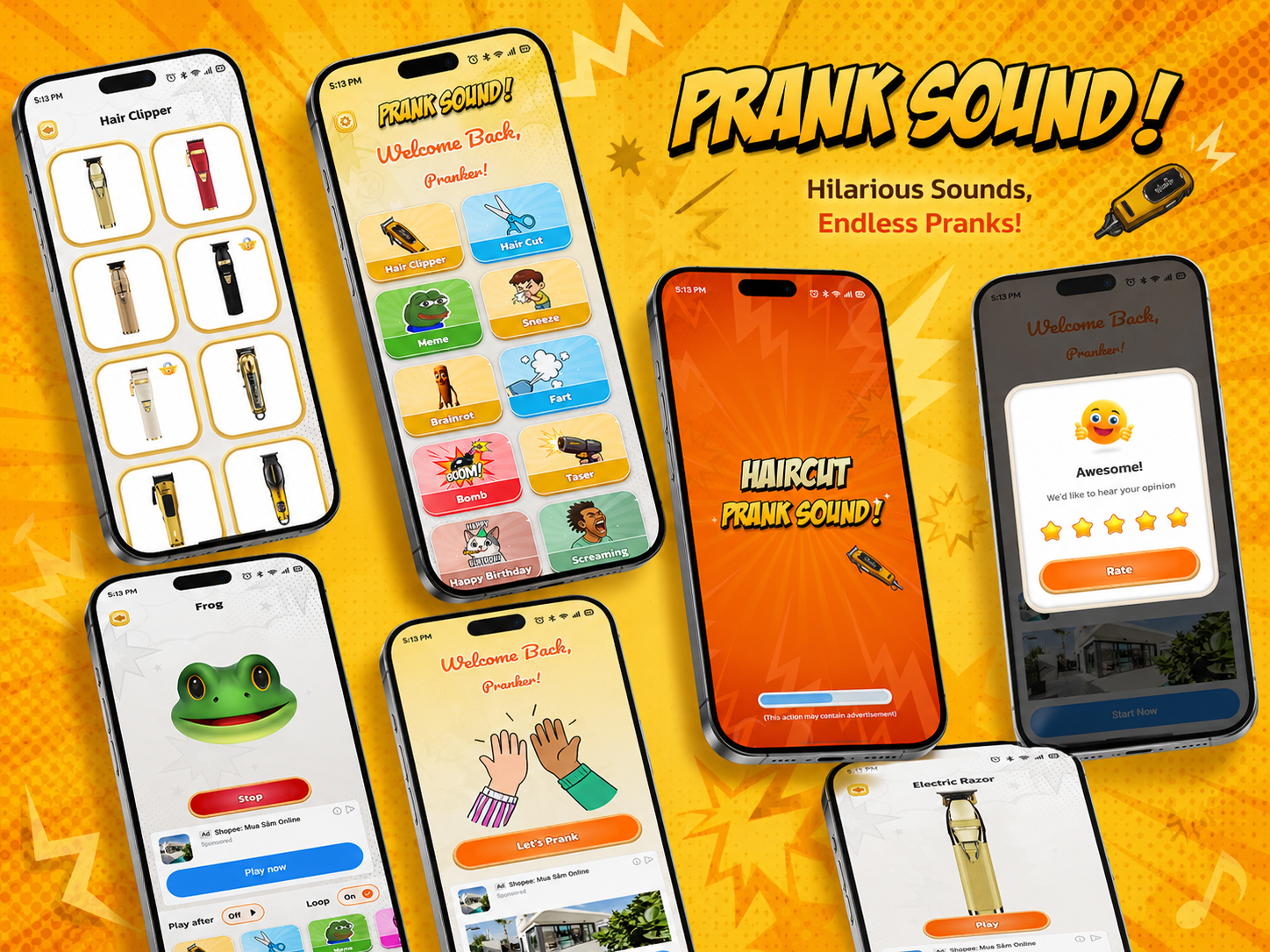
Prank Sound mobile app hero mockup

Project overview

A playful prank sound app for quick entertainment.

Prank Sound is a mobile entertainment app that allows users to browse and play different prank sounds through a simple and engaging interface. The app focuses on fun interaction, colorful UI, and quick sound access.

Project details

Fast, funny and instantly clear.

  • Platform: Mobile App
  • Category: Entertainment
  • Role: UI/UX Designer
  • Tool: Figma

Problem

Prank sounds need to be fast, simple and fun to access.

  • Users want to access prank sounds quickly without a complicated flow.
  • Entertainment apps need to feel playful, simple, and instantly understandable.
  • If the interface is too crowded or unclear, users may lose interest quickly.
  • The challenge was to organize multiple sound categories while keeping the UI fun and easy to use.

Goal

Create a playful interface that makes sound actions obvious.

  • Create a playful and eye-catching mobile UI.
  • Help users quickly find and play prank sounds.
  • Organize sounds into clear categories.
  • Make key actions obvious and easy to tap.
  • Build a consistent and fun visual identity.

Design process

A simple flow from idea to prototype.

01

Research

Understand how users expect a casual entertainment app to behave.

02

User Flow

Map the fastest path from opening the app to playing a prank sound.

03

Wireframe

Plan category screens, sound player layouts and popup interactions.

04

UI Design

Apply bold colors, rounded UI elements and playful visual details.

05

Prototype

Connect key screens into a quick, tap-friendly mobile experience.

Main features

Feature blocks for the core app experience.

Splash Screen

Introduces the app with a bold and energetic first impression.

Welcome Screen

Creates a friendly and playful introduction before users start exploring sounds.

Home Screen

Displays sound categories clearly so users can quickly choose the prank they want.

Sound Categories

Organizes different sound types such as Hair Clipper, Hair Cut, Meme, Sneeze, Frog, Fart, Bomb, Taser, and Electric Razor.

Sound Player

Lets users play, stop, and loop sounds with quick controls and easy interaction.

Rate Popup

Encourages user feedback through a fun and visually friendly rating interface.

Settings / Additional Screens

Supports supporting screens when users need more control over the app experience.

Visual design

Bright, playful and comic-inspired.

  • Bright and playful color palette, especially orange, yellow, cream, and white.
  • Rounded buttons and cards for a soft, friendly look.
  • Bold typography for titles and playful UI elements.
  • Comic-inspired visuals that match the fun entertainment theme.
  • Clean spacing and clear hierarchy for easy interaction.
LOL! BOOM!

Visual tone

The interface should feel humorous and energetic while staying easy to scan and tap.

Final screens

A gallery for the main app screens.

Prank Sound splash screen

Splash / Loading

Prank Sound welcome back screen

Welcome Back

Prank Sound hair clipper screen

Hair Clipper

Prank Sound frog sound player

Frog Sound Player

Prank Sound electric razor player

Electric Razor

Prank Sound rate popup

Rate Popup

Reflection

Designing a playful mobile entertainment experience.

Through this project, I explored how to design a playful mobile entertainment app that feels simple, fun, and easy to interact with. The project helped me improve my skills in organizing content, designing engaging interfaces, and building a consistent visual style for a casual mobile experience.